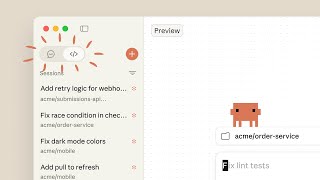
Claude Code Desktop adds a built-in web browser
TECH

Claude Code Desktop adds a built-in web browser

18+
Signals

Strategic Overview

  • 01.
    Anthropic added a built-in, tabbed Browser pane to Claude Code inside the Claude Desktop app, letting the coding agent open, read, and interact with any website directly in the client.
  • 02.
    The pane uses a clean, isolated browser profile with no saved logins or history, and still supports sign-in flows including Google OAuth popups for testing authenticated apps.
  • 03.
    Claude can preview a running dev server, take screenshots, inspect the DOM, click elements, and fill forms to automatically verify its own code changes.
  • 04.
    Agent write actions on external pages are screened by safety classifiers and, outside the Auto and Bypass modes, a domain allowlist check, and Claude cannot purchase items, create accounts, or bypass CAPTCHAs without user input.

The Agent Finally Gets to Check Its Own Work

Until now, Claude Code could write front-end code but had no first-hand way to see the result; it leaned on the developer to eyeball the page and report back what broke. The Browser pane changes that by giving the agent a real, driveable browser inside the desktop app. Claude can preview a running dev server, take a screenshot, inspect the DOM, click elements, and fill forms, then fix the issues it finds [1]. Anthropic describes the agent interacting with external pages the same way it does with a local dev server [2].

The practical effect is a closed loop: edit the code, render it, look at it, correct it - with no human relaying what the screen actually shows. Digital Trends framed the shift as letting Claude open the page itself, understand the context, and continue working without leaving the desktop app [3]. For anyone who has watched an agent confidently ship a layout it never saw, that self-verification step is the quiet headline feature.


Closing the Codex Gap

The timing reads as competitive. On Reddit, the loudest reaction to the launch was relief that it closed a specific gap with OpenAI's Codex, with one developer calling the missing in-app browser the biggest single thing that had kept them on the rival tool. Others drew a sharp contrast with Anthropic's earlier Claude in Chrome extension, which drove your existing Chrome browser but was widely described as slow and heavy on tokens.

The built-in pane sidesteps that by rendering inside the app in a dedicated, sandboxed profile rather than piloting your everyday browser one click at a time [1]. It also fits a longer arc: VentureBeat, testing the redesigned desktop app earlier in the year, highlighted the Mission Control sidebar and routines as the enterprise-facing pieces of a client that is steadily growing past its terminal roots [4]. The browser is one more step in turning Claude Code from a command-line assistant into a place developers stay all day.

Letting an Agent Loose on the Web, Carefully

Handing an autonomous agent a browser is a security surface, and Anthropic gated it deliberately. Write actions - clicking and typing on external pages - pass through safety classifiers in every permission mode, which trigger a permission prompt when an action is flagged; outside the Auto and Bypass modes, a domain allowlist check runs before Claude navigates to a new site [1]. Some actions are simply off-limits regardless of settings: Claude will not purchase items, create accounts, or bypass CAPTCHAs without user input [1].

The profile is isolated by design, carrying none of the user's saved logins or history, though sign-in flows including Google OAuth popups still work so authenticated apps can be tested [1]. For organizations, administrators can enforce site allowlists and blocklists - the same controls shared with the Claude in Chrome extension - or disable the agent's tools on external pages entirely through a managed setting [1]. It is a reminder that the hard part of agentic browsing is not navigation; it is deciding what an agent is allowed to touch.

What the Skeptics Are Counting

Community reception was broadly positive but not uncritical, and two threads of pushback stood out. The loudest, in classic developer fashion, was cost: because the agent verifies work by capturing screenshots of rendered pages, skeptics joked that a bigger browser window just means bigger screenshots and more tokens spent per check.

The second was a definitional argument. A vocal group insisted the capability was not really new, noting that the command-line Claude Code could already open and drive a browser, and that the desktop app had previously shipped a preview window. Defenders drew the line sharply: the old preview was a static HTML renderer, whereas the new pane is a full sandboxed browser that can navigate and interact with complex, server-rendered sites. That disagreement is itself the signal - the feature's value depends entirely on whether you read browser as rendering a page or as an agent operating one.

Historical Context

2026-04-14
Anthropic released a redesign of the Claude Code desktop app for Mac and Windows, adding a Mission Control sidebar and a live file panel.
2026-07-10
Anthropic shipped and publicized a built-in Browser pane for Claude Code on desktop, letting the agent navigate and interact with web pages in-app.

Power Map

Key Players
Subject

Claude Code Desktop adds a built-in web browser

AN

Anthropic

Ships the Browser pane and controls its safety model, permission system, and enterprise admin controls; the feature deepens Claude Code's move from a terminal tool toward a full desktop workstation.

DE

Developers

Primary users; can let Claude read docs, test authenticated web apps, and verify UI changes without leaving the desktop client or opening a separate browser.

EN

Enterprise administrators

Gatekeepers of any rollout; can enforce site allowlists and blocklists shared with the Claude in Chrome extension, or disable the agent's tools on external pages via a managed setting.

Fact Check

4 cited
  1. [1] Claude Code on desktop
  2. [2] Anthropic highlights Claude Code's in-app browser on the desktop
  3. [3] Claude Code can now browse the web without opening Chrome
  4. [4] We tested Anthropic's redesigned Claude Code desktop app and routines: here's what enterprises should know

Source Articles

Top 1

THE SIGNAL.

Analysts

"Framed the feature as handing the reading to the agent - Claude opens the page itself, understands the context, and continues working without leaving the desktop app."

Digital Trends
Technology publication

"Positioned the redesigned desktop app - in-app browser, dedicated terminals, and split panels - as a unified development environment that could replace a separate IDE and terminal."

Prompt Engineering
AI developer channel, YouTube

"After testing the redesigned Claude Code desktop app, highlighted its new Mission Control sidebar and live file panel as the changes pushing the client past its terminal roots."

VentureBeat
Technology publication
The Crowd

"Claude Code on desktop now has an in-app browser. Claude can pull up docs, designs, or any other site. It can read, click through, and interact the same way it does with your local dev servers. It's sandboxed and configurable: you choose whether sessions persist."

@@ClaudeDevs13489

"Claude Code can now open any website inside the desktop app. Claude can use your production app, open the links it sends you, check Twitter, and even watch the FIFA World Cup!"

@@_catwu909

"Claude Code on desktop now has an in-app browser. Claude can pull up docs, designs, or any other site. It can read, click through, and interact the same way it does with your local build. It's sandboxed and configurable. Update your desktop app to get access."

@@adocomplete352

"Claude Code on desktop now has an in-app browser."

@u/ClaudeOfficial362
Broadcast
Anthropic Is Building a Super App

Anthropic Is Building a Super App

Claude Desktop Is Now Even Better - Talk to Claude, Code in Browser, and More!

Claude Desktop Is Now Even Better - Talk to Claude, Code in Browser, and More!

Claude Code on desktop

Claude Code on desktop