How Slack Code Actually Works: Permissions, Not Personality
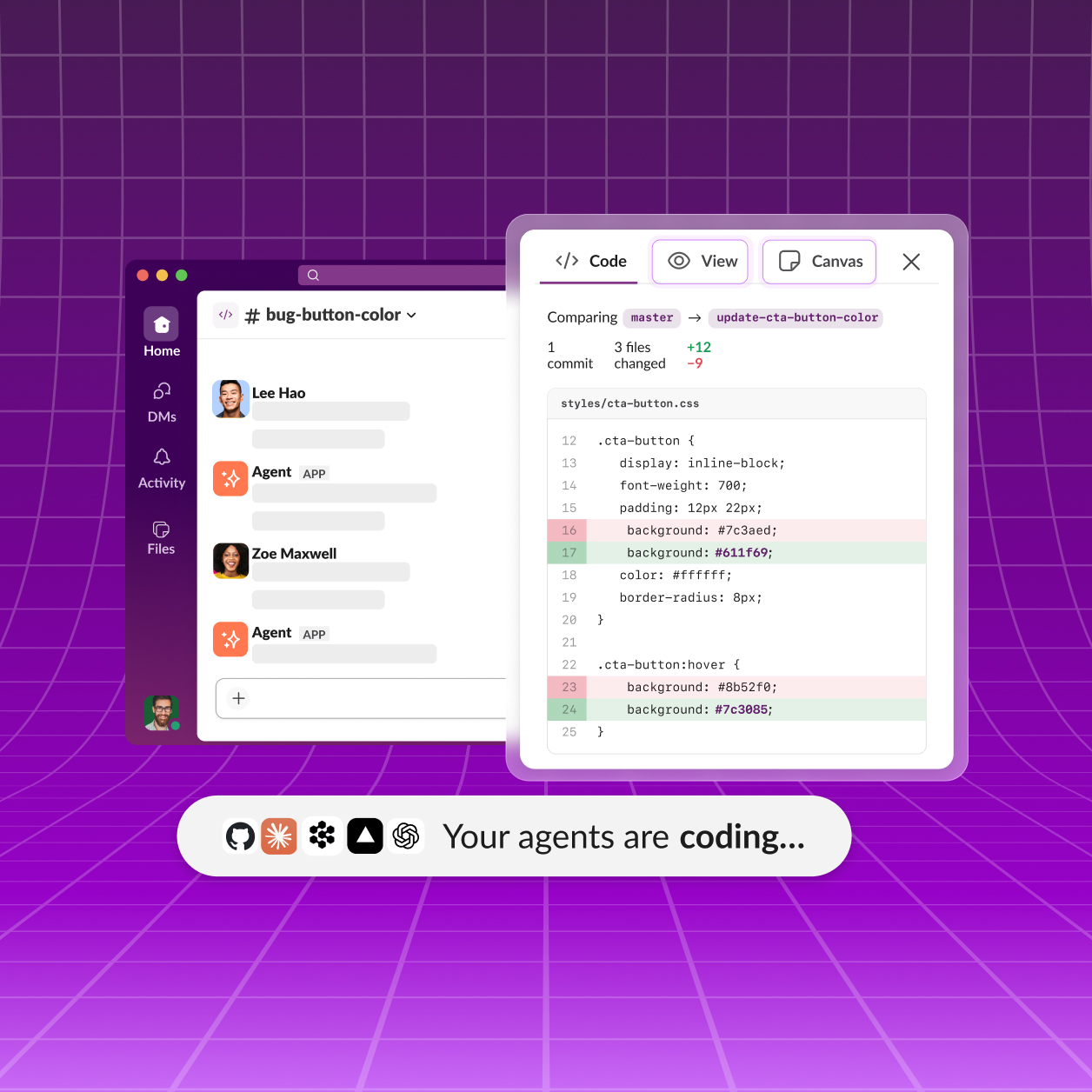
Slack Code doesn't hand an AI agent a Slack bot account with sweeping permissions - it hands the agent your permissions. When a teammate tags a coding agent like Claude Code or Devin inside any conversation, Slack spins up a dedicated code channel with tabs for the plan, the code diffs, and a live preview, and the agent then acts using the tagging user's own access control list rather than a privileged bot identity [2]. Interim CEO Rob Seaman put it bluntly: 'Everything is done on behalf of the user, using the user's ACLs, both in Slack and in the systems that they're connecting to. There's no god permissions or bot-level permissions' [2]. That single design choice is doing a lot of work - it means an agent can only touch what the human who invoked it could already touch, which narrows (though doesn't eliminate) the blast radius of an agent making a bad call. The channels are also disposable by design: Slack's own usage data shows over 70% close within a single day, from idea to merged pull request, and completed projects get archived into a searchable record rather than left open indefinitely [1]. High-stakes moves, like merging into production, don't happen automatically - they route to a person for an in-channel approval first, a guardrail Slack added after agents have previously wiped out codebases during unsupervised sessions [2].