Google Chrome AI Skills for Reusable Gemini Prompts
TECH

Google Chrome AI Skills for Reusable Gemini Prompts

26+
Signals

Strategic Overview

  • 01.
    Google launched Skills for Gemini in Chrome on April 14, 2026, letting users save, customize, and reuse AI prompts as one-click tools that operate across web pages and multiple tabs simultaneously. The feature ships with over 50 pre-built templates spanning productivity, shopping, recipes, budgeting, and health.
  • 02.
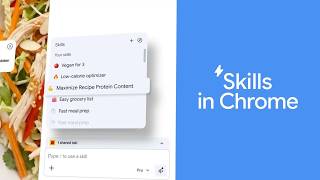
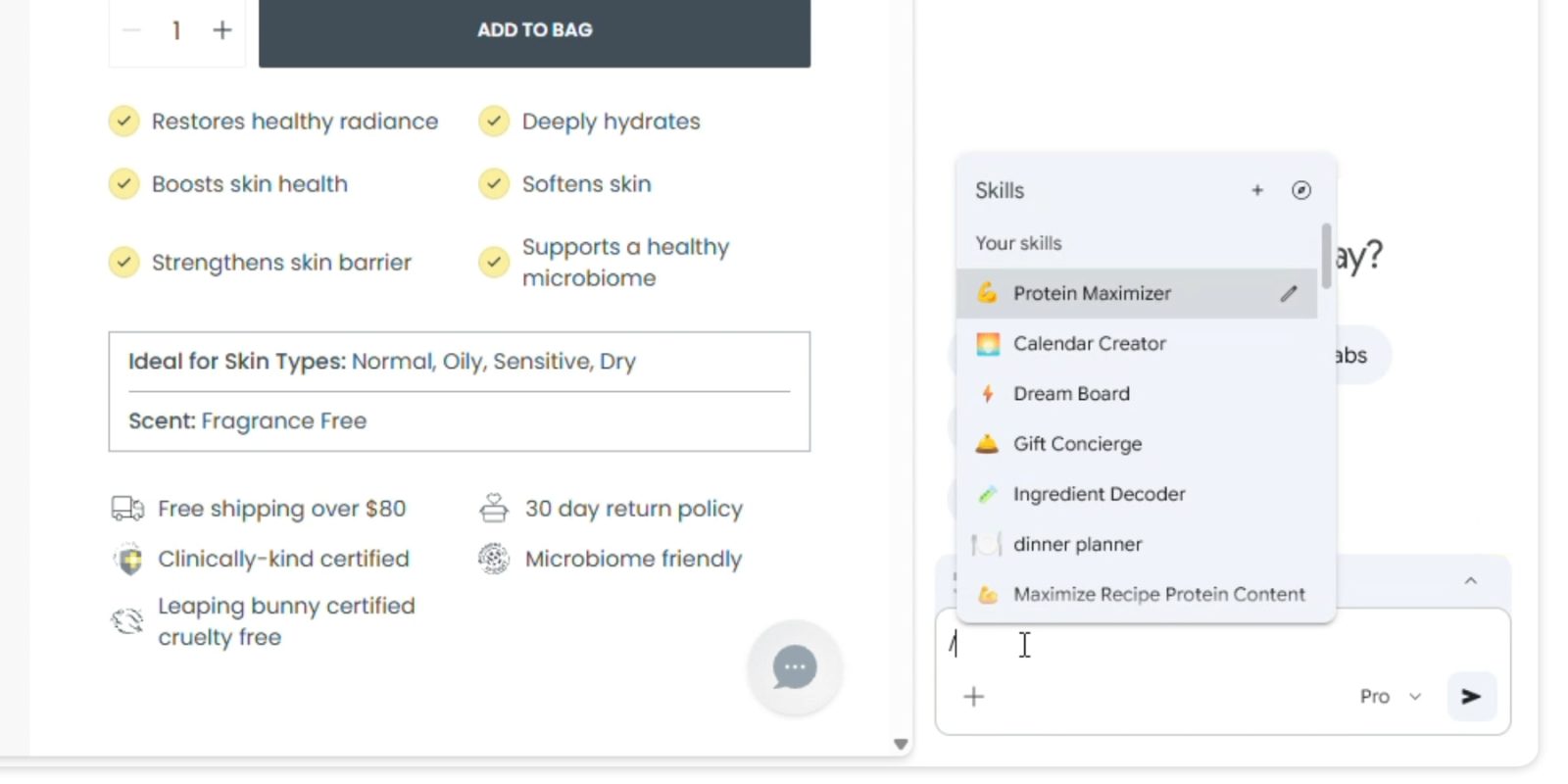
    Skills are invoked via the '/' command or '+' button in the Gemini side panel, sync across signed-in Chrome desktop devices, and can be personalized with custom names and emojis. The rollout covers Mac, Windows, and ChromeOS for English-US users, with mobile and additional languages not yet available.
  • 03.
    Google built safety confirmations into Skills, requiring user approval before sensitive actions such as adding calendar events or sending emails. The company states Skills are built on the same security foundation as the rest of Chrome.

From Chatbot to Stored Procedure: The Architectural Significance of Reusable AI Workflows

The most significant aspect of Chrome Skills is not what it does but what it redefines. Since the launch of ChatGPT in late 2022, the dominant interaction model for consumer AI has been conversational: users type a request, receive a response, and start over. Skills breaks this pattern by introducing persistence and reusability into the browser’s AI layer. A saved Skill is not a conversation — it is a stored procedure that can be invoked repeatedly across different contexts, pages, and tab sets. This is a meaningful architectural shift from stateless chat to stateful, parameterized automation embedded in the tool people already use more than any other desktop application.

The YouTube creator community responded with demo-focused content framing Skills as one of Google’s most significant Chrome AI updates, with multiple channels producing walkthroughs that emphasized the workflow-automation angle over the chatbot framing. On Reddit, engineers in r/chrome noted that the prompt-templating pattern underlying Skills is familiar from developer frameworks like LangChain and LangGraph — but is now accessible to ordinary users without writing any code. Search Engine Journal captured this distinction precisely when it described Skills as closer to a lightweight automated workflow than a chatbot conversation. The implication is that Google is quietly turning Chrome into something resembling a low-code automation platform, where the unit of work is not a query but a reusable procedure that operates on live web content.
Platform Leverage: Chrome’s Distribution Moat as Competitive Strategy

Google’s decision to embed Skills directly into Chrome rather than ship it as a standalone product reflects a deliberate platform strategy. With roughly 65% global browser market share, Chrome is the most widely distributed desktop application in the world. Every feature added to Chrome’s AI layer immediately reaches a user base that no AI-native startup can match through organic distribution alone. OpenAI’s Atlas browser, Perplexity’s Comet, and The Browser Company’s Dia are all attempting to build AI-first browsing experiences from scratch — but they must convince users to abandon an entrenched default. Skills raises the switching cost by making Chrome not just a browser but a repository of personalized AI workflows that users build over time and sync across devices.

On X, the official announcement from Google Chrome generated strong initial engagement, with commentators like @EugenioFierro3 framing Skills as “small personal automations” that make Chrome feel genuinely agentic — a characterization that captures the stickiness Google is engineering into the product. However, European users flagged regional unavailability as a point of frustration, highlighting a gap that competitors with broader geographic rollouts could exploit during the English-US-only launch window. Reddit’s r/chrome community interpreted Skills as the browser absorbing capabilities that previously required extensions or dedicated third-party tools, reinforcing the view that Google is systematically collapsing the extension ecosystem into native AI features. Microsoft’s Copilot in Edge remains the most direct incumbent competitor, but the Skills model — with its emphasis on user-created, reusable workflows rather than single-turn assistance — represents a differentiated approach that could prove harder to replicate than it appears. YouTube coverage skewed immediately toward SEO-professional and productivity-workflow angles rather than general tech news coverage, with creators specifically evaluating Skills through a search optimization lens — suggesting the feature’s long-term stickiness may depend on how well it serves professional power users, not just casual browsers.

Trust Architecture: Privacy Implications of Persistent AI Workflows

The move from ephemeral AI conversations to persistent, reusable workflows introduces privacy considerations that did not exist in the chatbot paradigm. A saved Skill is effectively a standing instruction that will be applied to whatever web content the user points it at in the future. This means Google’s AI layer must process page content not just in response to a one-time query but as part of an ongoing, user-defined automation — potentially across sensitive pages like banking portals, medical records, or internal corporate tools. Google’s decision to require explicit user confirmation before Skills execute sensitive actions like sending emails or modifying calendar events is a necessary safeguard, but it only covers a subset of the trust surface.

Reddit discussion drew explicit parallels between Skills’ safety confirmation approach and the guardrails built into dedicated AI agent frameworks, where human-in-the-loop approval gates are standard practice for actions with real-world side effects. This comparison is instructive: it suggests that technically sophisticated users already view Skills through an agentic lens and expect corresponding safety architecture. YouTube demos have focused overwhelmingly on productivity use cases like shopping comparisons and recipe extraction rather than sensitive integrations involving personal data or financial transactions, suggesting the creator community is naturally steering early adoption toward lower-risk workflows. Whether this pattern holds as Skills matures — and as users inevitably push it toward higher-stakes automations — will depend on how robustly Google extends its confirmation framework beyond the initial set of protected actions. The measured pace of Reddit discussion — with posts appearing in both r/chrome and specialized communities like r/Agent_AI — reflects how the AI-agent framing is crossing over from developer circles into mainstream browser-user awareness, a trajectory that will amplify scrutiny of the privacy model as adoption grows.

Historical Context

2025-09
Gemini in Chrome began rolling out to AI Pro/Ultra subscribers in the U.S. on Mac and Windows desktop.
2026-02
Google launched the Auto Browse AI agent feature for Gemini in Chrome, expanding the browser's autonomous capabilities.
2026-04-13
Gemini launched a 3D models feature, continuing a rapid cadence of AI product updates.
2026-04-14
Skills in Chrome launched on desktop with 50+ pre-built templates, enabling reusable Gemini prompts as one-click workflows.

Power Map

Key Players
Subject

Google Chrome AI Skills for Reusable Gemini Prompts

GO

Google / Alphabet

Developer and launcher of Chrome Skills, leveraging Chrome's approximately 65% global browser market share to deepen Gemini AI integration into everyday browsing.

MI

Microsoft (Edge / Copilot)

Key competitor with Copilot-integrated Edge browser offering similar AI-powered browsing assistance.

AI

AI-native browser startups (OpenAI Atlas, Perplexity Comet, The Browser Company Dia)

Emerging competitors building AI-first browsers that challenge Chrome's dominance, creating competitive pressure that likely accelerated Skills' development.

HA

Hafsah Ismail

Chrome Product Manager at Google who publicly explained the Skills activation mechanism and user workflow.

THE SIGNAL.

Analysts

"Described Skills as 'something closer to a lightweight automated workflow than a chatbot conversation,' highlighting the shift from single-turn AI interactions to reusable, parameterized browser automation."

Search Engine Journal
Digital marketing and SEO news publication

"Explained that users can activate Skills by typing '/' or clicking the '+' button in the Gemini side panel, emphasizing the low-friction design intended to make saved prompts as accessible as browser bookmarks."

Hafsah Ismail
Chrome Product Manager at Google

"Positioned Skills within a broader competitive context where Google faces 'a new class of AI-powered browsers' including OpenAI's Atlas, Perplexity's Comet, and The Browser Company's Dia, all challenging Chrome's dominance."

TechCrunch
Technology news publication
The Crowd

"Keep tabs on our latest Chrome feature, coming soon: Skills! Save your go-to Gemini in Chrome prompts to reuse them later, or choose from a library of premade prompts."

@@googlechrome1200

"Google is rolling out Skills for Gemini on Chrome. Skills on Gemini for Chrome are similar to reusable prompts or shortcuts, allowing users to automate common workflows."

@@testingcatalog67

"With Skills, you're always one click away from your most-used Gemini in Chrome prompts. No more retyping!"

@@googlechrome40

"Google launched Skills in Chrome: save any Gemini prompt as a one-click workflow, run it across multiple tabs simultaneously. The browser is becoming an AI agent."

@u/NoMechanic67465
Broadcast
Google New Gemini Skillz Turn Chrome Into an AI Beast

Google New Gemini Skillz Turn Chrome Into an AI Beast

New Google AI Skills Update is INSANE!

New Google AI Skills Update is INSANE!

Google Chrome Just Got a NEW 'Skills' Feature (Save and Reuse Gemini AI Prompts)

Google Chrome Just Got a NEW 'Skills' Feature (Save and Reuse Gemini AI Prompts)