The mechanism: a 4GB write that re-heals itself
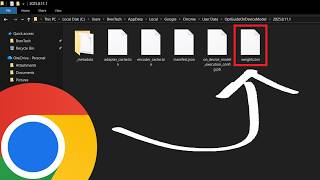
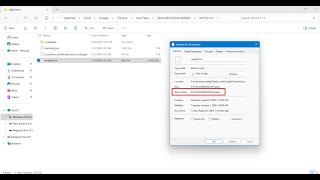
The trigger isn't a banner, a download dialog, or even an entry in Chrome's own download manager. According to Alexander Hanff's reconstruction using macOS kernel file system logs, eligible Chrome installs simply begin streaming a roughly 4GB binary called weights.bin into a folder named OptGuideOnDeviceModel inside the user data directory — on Windows 11 that path resolves to %LOCALAPPDATA%/Google/Chrome/User Data/OptGuideOnDeviceModel. On his test machine the full write took 14 minutes 28 seconds, all while Chrome reported nothing in its visible UI. The file appeared, in Hanff's framing, with no consent prompt and no checkbox in Chrome Settings labelled 'download a 4 GB AI model.'
What elevates this from a one-time annoyance to a structural design choice is the self-healing behavior. Power users who notice the disk hit and delete weights.bin discover that Chrome silently re-creates the file on the next launch. The only way to make the deletion stick is to disable the underlying AI features through chrome://flags or the Settings panel — a path that requires knowing the model exists in the first place. The flag names themselves are framed around features ('optimization guide,' 'on-device model'), not around the 4GB payload they pull, which is precisely the gap Reddit threads and YouTube tutorials have spent the week trying to translate for non-technical users.