The Persistent Pane: How Split-Screen Rewires Chrome's Research Loop
The mechanical change sounds minor and turns out to be significant. Before this release, clicking a link inside Chrome's AI Mode replaced the conversation with the destination page, forcing users back through the omnibox to ask a follow-up. After April 16, the conversation shrinks into a persistent side panel on desktop and the webpage loads beside it, preserving the search context the user arrived with. Google frames this as a fix for tab-hopping friction, and the company's own early-tester quote anchors the pitch: testers "didn't have to constantly switch tabs to get help with a comprehensive article or a long video."
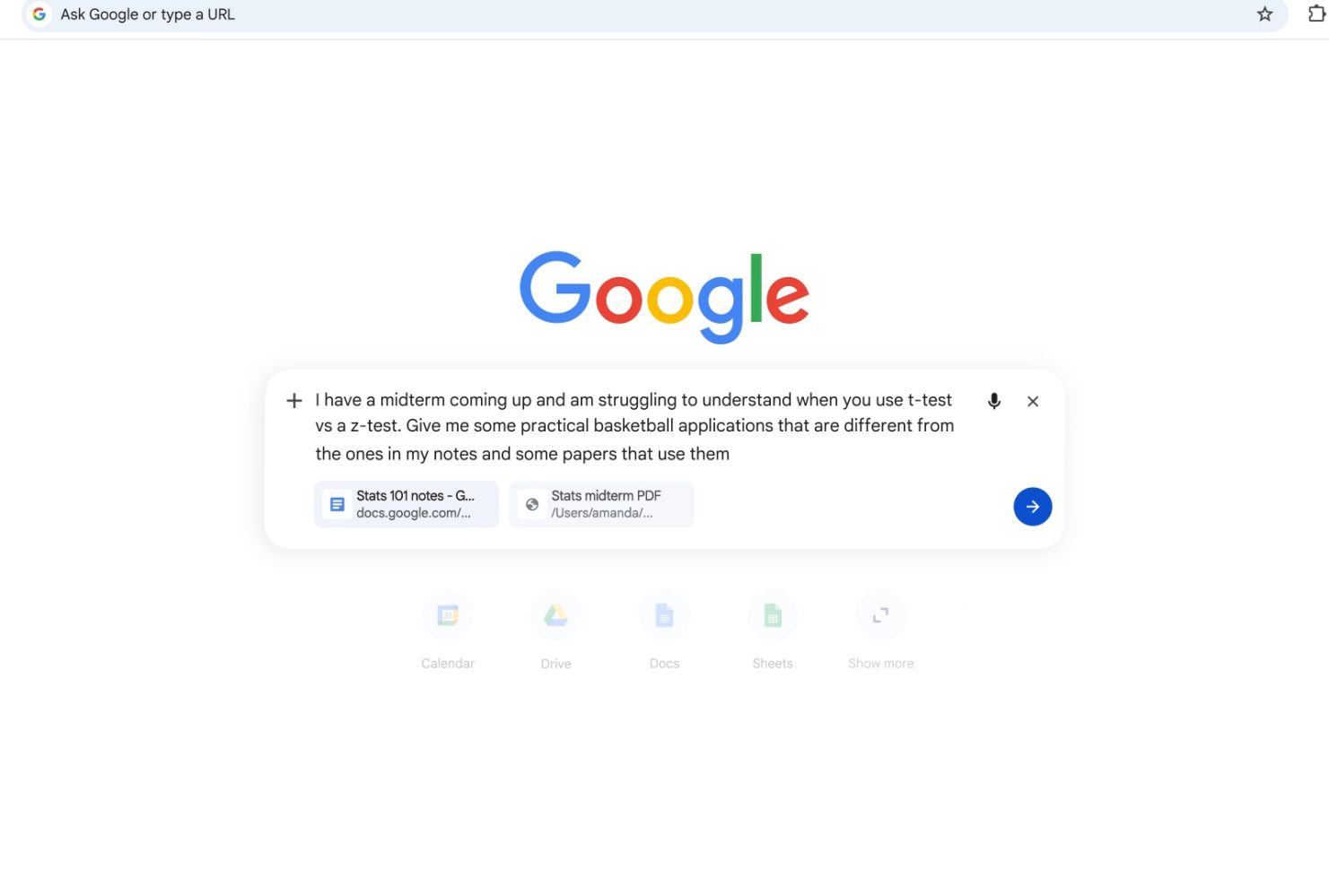
The second half of the update is arguably more consequential than the layout change. A new plus menu lets users attach recent Chrome tabs, images, and PDFs as context to an AI Mode query — the feature Android Authority's Stephen Schenck describes as letting users "get a head start on bringing AI Mode up to speed with a topic you were already investigating." Combined with Canvas and Nano Banana image generation now surfacing across any Chrome surface, the browser stops behaving like a viewer of discrete pages and starts behaving like a workspace where the AI can see what you're working with. That is a different product than a tab host with a sidebar.